How to Update a Bill of Materials in Odoo Without Stopping Your Production Line
28.04.26
The executive’s and engineer’s guide to managing Engineering Change Orders while manufacturing runs at full speed.
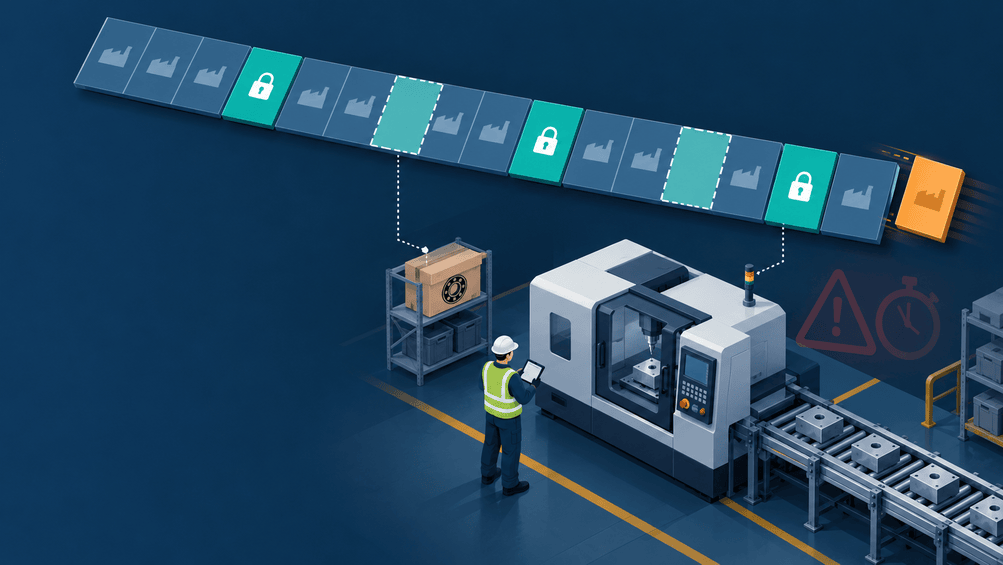
Picture this: your shop floor is mid-run. A Manufacturing Order is live, your team is pulling components, and everything is moving on schedule. Then the phone rings. A design revision has arrived. A supplier just sent a substitution notice. Or your quality team has flagged a component that does not meet spec.
You need to change the Bill of Materials and you need to do it now, while production is already in motion.
What happens next reveals more about the maturity of your operation than almost any other moment in manufacturing. Organizations that have built the right processes and systems handle this smoothly. Those that have not scramble, improvise, and often pay for it — in rework, compliance failures, or cost variances that surface weeks later with no explanation.
This article walks through both the why and the how of managing exactly this situation inside Odoo and why the discipline you build around it is one of the most underrated competitive advantages in manufacturing.
The Hidden Cost of Getting This Wrong
Before diving into the solution, it is worth being honest about the problem.
Most conversations about a Bill of Materials focus on getting it right before production starts. That makes complete sense a clean BoM drives accurate cost estimates, reliable procurement plans, and smooth production scheduling. But real manufacturing does not always wait for the perfect moment. Suppliers discontinue components. Engineers catch errors after an MO is confirmed. Customers request last-minute specification changes. These moments are not edge cases. They are the normal friction of a real production environment.
The dangerous response to that friction and the one that happens more often than most operations leaders would like to admit is to open the BoM, make the edit, and move on. It feels fast. It feels practical. It is, in fact, quietly corrosive.
When a Manufacturing Order is confirmed in Odoo, the system captures a reference to the BoM version at that moment. The MO uses that version to drive component demand, picking lists, and cost calculations. If someone edits the BoM directly after the MO is confirmed, the MO does not automatically update. What you get is a silent mismatch – the BoM says one thing, the MO was planned on another, and the shop floor may be executing something different from both. Nobody flags it. Nobody knows. Until a quality audit does.
Beyond data integrity, direct edits strip away the audit trail that regulated industries – medical devices, aerospace, manufacturing require by law. They allow the same problem to be fixed informally across multiple production runs without ever being tracked. And they create cost variances that hit the P&L without explanation, making pricing and margin decisions increasingly unreliable over time.
The good news is that Odoo’s PLM module was designed to solve exactly this problem. And the mechanism it uses the Engineering Change Order is worth understanding deeply before you touch a single BoM setting.
What an Engineering Change Order Actually Does
An Engineering Change Order (ECO) is not a form. It is not bureaucracy for its own sake. It is the structured mechanism that ensures every change to a Bill of Materials is reviewed, approved, versioned, and permanently traceable – regardless of when in the production cycle that change occurs.
In Odoo’s PLM module, an ECO moves through a defined workflow by default structured as Draft → Under Review → Approved → Applied, though these stages are fully configurable to match your organization’s approval policy. Each stage can have assigned approvers, required documentation, and time-stamped activity logs. The result is a complete revision history attached to every version of your Bill of Materials – visible to engineering, quality, procurement, and finance simultaneously, without anyone having to chase emails or reconcile spreadsheets.
This matters especially when evaluating Engineering Change Order software platforms. The question is not just whether you can log a change it is whether you can manage that change across every stakeholder, with full accountability, without the revision history living inside a single engineer’s inbox. Odoo’s integrated design answers that question in a way that standalone tools and manual processes simply cannot.
It is also worth noting that this level of process discipline is not exclusive to large enterprises. For smaller manufacturers exploring affordable services for Bill of Material preparation in small businesses, Odoo Community Edition provides ECO functionality at a fraction of the cost of traditional PLM platforms. The discipline of controlled change management does not require an enterprise-level budget, it requires the right system and the will to use it correctly.
With that foundation in place, here is exactly how to use it when production is already running.
Before You Start: Know What You’re Dealing With
Not every mid-production change follows the same path. Before opening Odoo, take two minutes to answer these four questions – they will determine which approach is right for your specific situation.
What is the MO’s current status? A Confirmed MO that has not yet started consuming materials gives you more flexibility than one that is partially complete. Knowing exactly where production stands is the first input into your decision.
Have any components already been consumed or picked? If materials have already been pulled from inventory and staged or used, the window for applying a change to the current MO narrows considerably.
Is this change critical, or does it apply to future runs? A substitution that affects product safety or regulatory compliance requires immediate action. A cost-driven component swap may be better applied from the next production run forward, without touching the active MO at all.
Does this change affect only this MO, or is it a permanent revision? If the answer is permanent, it must go through an ECO and create a new BoM version. If it is a one-time, contained adjustment a quantity tweak, a temporary substitute it may be handled directly on the MO with proper documentation.
The rule of thumb is straightforward: if the change will affect future production or creates a new version of the product, use the ECO process. If it is a one-time, contained adjustment with no downstream impact, direct MO editing with documented notes may be sufficient. When in doubt, use the ECO. The cost of over-process is negligible. The cost of under-process can be significant.
Keep your answers to these four questions close they will directly determine which of the three options you choose at the final decision point of the ECO process. Once you have them, you are ready to move.
The Step-by-Step Process in Odoo
Start Where It Matters: The PLM Module
The first and most important instruction is also the simplest: if this change affects future production or creates a permanent revision to the product specification, do not start in Manufacturing. Do not navigate to Bills of Materials and begin editing the BoM directly. Go to PLM → Engineering Change Orders → New. Everything flows from there.
If your earlier assessment determined this is a one-time, contained adjustment to a single MO a temporary quantity tweak with no downstream impact you may update the MO’s Components tab directly and document the reason in the MO notes. But the moment the change becomes permanent, the ECO is the only responsible path.
Build the ECO Record With Intention
When creating the ECO, fill in more than the minimum required fields. Select the product and the current active Bill of Materials version. Assign a clear reference number — a consistent naming convention like ECO-2026-0047 serves your team better than auto-generated IDs. Name a responsible owner. And write a specific reason for the change.
“Component update” is not a reason. “Supplier discontinuation of Part #4421 — substituting with Part #4422, confirmed equivalent specification per QA memo dated March 12” is a reason. The difference matters when someone is reviewing this record six months from now during an audit.
Attach all supporting documentation here: revised engineering drawings, supplier qualification certificates, quality approval memos. This ECO record is your audit package, treat it with the same seriousness you would a customer-facing document.
Define the Change in a Safe Environment
Within the ECO, Odoo presents you with an editable copy of the current Bill of Materials. This is where you make your changes – adding components, removing obsolete parts, adjusting quantities, substituting materials, or updating routing if production steps are affected.
The critical point is that at this stage, nothing has changed in the live BoM. You are working in a proposed revision environment. The production floor is completely unaffected. Your team continues building to the current specification while the change is being reviewed and approved.
Move Through the Approval Workflow
Once the draft changes are complete, move the ECO to Under Review and assign approvers according to your Engineering Change Order management policy.
Odoo allows you to configure multi-level approval stages – Engineering, then Quality, then Operations with automated notifications at each step. All comments, clarifications, and approval decisions are captured in the ECO chatter, creating a permanent, searchable record of who reviewed what and when. No email threads. No memory required.
This stage is where cross-functional alignment happens. Engineering, quality, procurement, and production leadership all have visibility into the proposed change before it touches anything on the floor. This is also where problems get caught – where a procurement manager notices the substitute component has a 12-week lead time, or where quality flags that a parallel qualification study is still incomplete. The ECO workflow exists to surface these issues before they become production problems.
Apply the Change and Create the New Version
Once the ECO is approved, clicking Apply Changes triggers something precise and important: a new version of the Bill of Materials is created – v1.0 becomes v1.1 for example and the previous version is archived. Not deleted. Archived. It remains permanently linked to all MOs that were created against it, preserving the complete production history.
All future Manufacturing Orders will default to the new BoM version. The ECO record is closed and stamped with approver names, timestamps, and the full revision log. Your change is live. Your history is intact. Your data is clean.
Decide What Happens to the Active Manufacturing Order
With the ECO approved and the new BoM version created, the final decision is what to do with the Manufacturing Order that is already running. This step does not replace the ECO — the ECO is complete. This is the operational question of whether, and how, the change applies to the current in-flight MO. The answers you gathered before starting now determine the path.
This is the decision that requires the most judgment, and it is the one your earlier assessment prepares you to make confidently.
Option A — Let the active MO finish on the original BoM. When components have already been consumed, picking is complete, or the change applies only to future production, this is usually the right call. The active MO completes against the original BoM version. The new version takes effect from the next MO forward. Add a note to the active MO referencing the ECO number, and the traceability chain is complete.
Option B — Manually update the active MO’s components. When production has not yet started consuming materials but the change is important enough to apply immediately, navigate to the active MO’s Components tab and adjust the component list to reflect the new BoM. Document the ECO number in the MO’s notes. This approach requires a second set of eyes — have a supervisor or quality technician verify the manual update before the floor proceeds.
Option C — Cancel and re-create the Manufacturing Order. When the change is structural, safety-critical, or significant enough that building to the old BoM would create an unacceptable product, this is the only responsible path. Cancel the active MO, document the reason, return pre-staged components to inventory, and generate a new MO against the updated BoM version. It is disruptive. It is sometimes necessary. The ECO record gives you the documentation to explain and justify the decision to every stakeholder.
The right option is determined by your earlier assessment not by convenience, and not by whoever is feeling the most pressure at that moment. That distinction is what separates disciplined operations from reactive ones.
Building the Habits That Make This Sustainable
Getting through a single ECO correctly is a start. Building a culture where this process runs smoothly every time is the real goal and it comes down to a handful of habits that operations leaders need to enforce consistently.
The most important is non-negotiability: if engineers can bypass the ECO process and edit BoMs directly, some of them will, especially under time pressure. Remove that permission from all but system administrators. The process only works if it is the only path.
BoM version numbering should follow a consistent, universally understood convention — v1.0, v1.1, v2.0 applied across every product and every team. Ambiguous version names create downstream confusion that compounds over time.
The PLM dashboard in Odoo should be a standing agenda item in production and operations meetings, not something that only gets opened during audits. ECOs that sit in “Under Review” for weeks are a signal of a broken approval process, not a temporary backlog. Set SLA expectations for review turnaround and hold the team to them.
Finally, connect your ECO process to supplier communication. When a BoM change is driven by a supplier substitution — exactly the kind of disruption described in the opening scenario — the ECO should automatically trigger a procurement review. Odoo’s integrated procurement module makes this connection native, but only if the process is designed that way from the start.
Why the Choice of Platform Matters More Than It Seems
All of this process discipline depends on having a platform that supports it without friction where the Bill of Materials, Manufacturing Orders, ECOs, procurement, inventory, and cost accounting share a single data model. When they do not, the gaps between systems become the places where uncontrolled changes hide.
This is the core argument for Odoo as one of the best software platforms for creating Bill of Materials in manufacturing: not any single feature, but the integration. There is no export, no sync, no version of the BoM that lives in the ERP while a different version lives in a shared drive. There is one record, and every function in the business sees the same one.
For small and mid-size manufacturers, this matters especially. The affordable services for Bill of Material preparation in small businesses that Odoo’s ecosystem enables through Community Edition and certified implementation partners — mean that the same process discipline available to large enterprises is accessible without the budget that used to be required. Smaller operations often carry more risk from uncontrolled changes, not less, because they have fewer redundant checks. A platform that enforces the process structurally removes the dependency on individuals doing the right thing under pressure.
For larger organizations, Odoo Enterprise adds advanced approvals, deeper analytics, and the integration capabilities needed at scale while remaining significantly more cost-effective than incumbent platforms. When evaluating the best software for creating Bill of Materials in manufacturing, the right question is not which tool has the most features. It is which tool your team will use correctly, consistently, and without creating new silos. That question has a clear answer for a broad range of manufacturing environments.
The Bigger Picture: Change Management as a Competitive Capability
There is a perspective that C-suite leaders need to hold alongside the operational details: every uncontrolled mid-production change is a hidden liability that may not surface today, in this batch, or even this quarter but across hundreds of production runs, it accumulates into quality debt, audit risk, and margin erosion that eventually demands a reckoning.
Research from quality management bodies such as the American Society for Quality consistently estimates that the cost of a quality escape, a product built to the wrong specification due to an uncontrolled change runs anywhere from 10 to 100 times the cost of the prevention measure that would have stopped it. The multiplier varies by industry and severity, but the direction of the relationship is not in dispute. Structured Engineering Change Order management is that prevention measure. The ROI shows up in reduced scrap and rework, faster response to supplier disruptions, audit-readiness without last-minute scrambles, and shorter time-to-change in future production cycles.
Organizations that treat BoM version control as a back-office technicality will keep absorbing those hidden costs quietly. Organizations that build it as a strategic capability will respond to disruption faster, build more consistently, and protect their margins in ways that compound over time.
Closing: Control Is Not Caution. It Is Speed.
There is a common misconception that process discipline slows things down. In manufacturing, the opposite is true. The teams that respond fastest to mid-production changes are not the ones who skip the process, they are the ones who have practiced it so many times that it runs smoothly under pressure.
Updating a Bill of Materials while a Manufacturing Order is already on the floor is not an emergency when your systems and habits are built for it. Odoo’s PLM module, combined with a disciplined Engineering Change Order workflow, transforms what could be a chaotic scramble into a structured, low-risk, auditable operation. The change gets made. The floor stays informed. The record is clean. And the next production run starts from the right specification, without anyone having to remember what changed, when, and why.
That is what operational maturity looks like not the absence of change, but the mastery of it.
Frequently Asked Questions
Technically, yes — Odoo will allow a direct BoM edit if you have the right access permissions. But “minor” and “urgent” are the two most common justifications for bypassing process, and both carry the same downstream risk. A direct edit made under time pressure still creates a version mismatch with any active Manufacturing Order referencing that BoM. It still strips away the approval record. And it still has no visibility to the quality, finance, or procurement teams who may need to act on that change. The ECO workflow in Odoo is not designed to slow you down — a straightforward ECO with a single approver can be completed in minutes. The time cost of doing it correctly is almost always smaller than it feels in the moment.
This is one of the most financially significant consequences of uncontrolled changes, and it is often overlooked. When a Manufacturing Order is confirmed, Odoo calculates the planned cost of production based on the BoM at that moment. If the BoM is edited directly after confirmation, the planned cost does not automatically recalculate — meaning your actual vs. planned variance reporting becomes unreliable. When you use an ECO and apply it correctly, each BoM version carries its own cost calculation, and each MO is cleanly linked to the version it was planned against. Finance can see exactly what was planned, what was built, and why — with no reconciliation guesswork.
You can manage ECOs without the PLM module — but you will be doing it manually, which reintroduces most of the risks the process is designed to eliminate. Some teams use spreadsheets, email approvals, or document management systems to track change requests. These approaches work until they do not: approvals get missed, versions get confused, and the record lives in a format that cannot be connected to your production data. Odoo’s PLM module earns its place because the ECO is native to the same system where your Bill of Materials, Manufacturing Orders, and procurement all live. The change and the record of the change exist in the same place. That integration is what makes Engineering Change Order management genuinely reliable rather than aspirationally documented.
This depends on the nature of the change and the size of your operation, but the principle is consistent: every person who needs to act on a change should have a voice in approving it before it is applied. For a component substitution, that typically means Engineering (to confirm equivalence) and Quality (to confirm the substitute meets specification). For a structural design revision, it may also include Operations (to assess floor impact), Procurement (to confirm availability and lead time), and Finance (to assess cost implications). The mistake most organizations make is either under-staffing the approval — one person signs off without cross-functional visibility — or over-staffing it in ways that create bottlenecks. Start with two to three approvers for most changes, build in an escalation path for safety-critical revisions, and set a review SLA so ECOs do not stall in “Under Review” indefinitely.
Absolutely — and in many ways, smaller manufacturers benefit more from structured ECO management than large ones. Large organizations have redundant checks: multiple engineers, quality teams, and supervisors who may catch an uncontrolled change before it causes serious damage. Smaller operations often do not have that safety net. One engineer making one direct BoM edit under pressure can create a problem that goes undetected for months. The affordable services for Bill of Material preparation in small businesses available through Odoo Community Edition and certified implementation partners mean that the same discipline available to enterprise manufacturers is accessible at a scale and price point that works for SMEs. The process does not need to be complex — even a two-stage ECO workflow with a single approver is dramatically better than no workflow at all.
These are related but distinct concepts, and confusing them is a common source of ERP configuration errors. A BoM version refers to the revision history of a single Bill of Materials — v1.0, v1.1, v2.0 — where each version represents a change to the components, quantities, or routing of the same product. Version control is managed through the ECO process. A BoM variant, on the other hand, refers to a single Bill of Materials that covers multiple product configurations — for example, a shirt that comes in three colors, where each color uses a different fabric component but the rest of the BoM is identical. Variants allow you to avoid creating a separate BoM for each product configuration. In practice, most manufacturers need both: variants to handle product configuration complexity, and version control to manage change over time.
When you apply an ECO in Odoo, it creates a new BoM version going forward. Manufacturing Orders that were confirmed before the ECO was applied remain linked to the original BoM version — they are not automatically updated. This is intentional design: Odoo preserves the integrity of in-flight production runs while ensuring all future MOs use the updated specification. If you need the change to apply to one or more active MOs, you have two options: manually update the components in each affected MO’s Components tab (with proper documentation), or — for significant structural changes — cancel and re-create those MOs against the new BoM. The key is to make an explicit, documented decision about each active MO rather than assuming the system handled it automatically.
This is ultimately a culture and permissions question, not a software question — but software makes culture easier to enforce. The first step is removing direct BoM editing access from everyone except system administrators. If engineers cannot bypass the process, they will not bypass it. The second step is making the ECO workflow genuinely fast and frictionless for straightforward changes. If the process feels onerous for a simple component quantity adjustment, people will find workarounds. Design your ECO stages so that minor changes can move from draft to applied in under an hour, while significant design revisions go through the full multi-stage review. The third step is making the “why” visible: share an example of what an uncontrolled change actually cost the organization — in rework hours, in a failed audit finding, in a cost variance — and the process suddenly has a constituency rather than a compliance burden.
For most small and mid-size manufacturers — and for many larger ones — yes. The distinguishing factor is not any single BoM feature; it is integration. The best software for creating Bill of Materials in manufacturing is the one where your BoM, your Manufacturing Orders, your ECOs, your procurement, your inventory, and your cost accounting all share a single data model. When they do, a change to a BoM ripples through the system in a way that is visible, traceable, and connected to the decisions that depend on it. When they do not, you spend significant organizational energy managing the gaps between systems. Odoo earns its position in this category because it delivers that integration at a price point accessible to manufacturers who cannot justify the cost of SAP or Oracle, while scaling effectively for organizations that eventually need enterprise-grade capabilities.